Job Winner Got a Glow-Up
Job Winner started as the tool I needed during my own job search: one place for applications, interviews, offers, bookmarks, and all those little details every application form asks for again and again.
It worked—but after several years of additions, the interface was starting to feel like a room with too much furniture. Everything was still there, but moving around was not as easy as it should be.
So I gave the whole UI a makeover. Not just a new coat of paint, either. I moved the furniture, cleared the clutter, fixed the squeaky doors, and checked that the lights work in both light and dark mode.
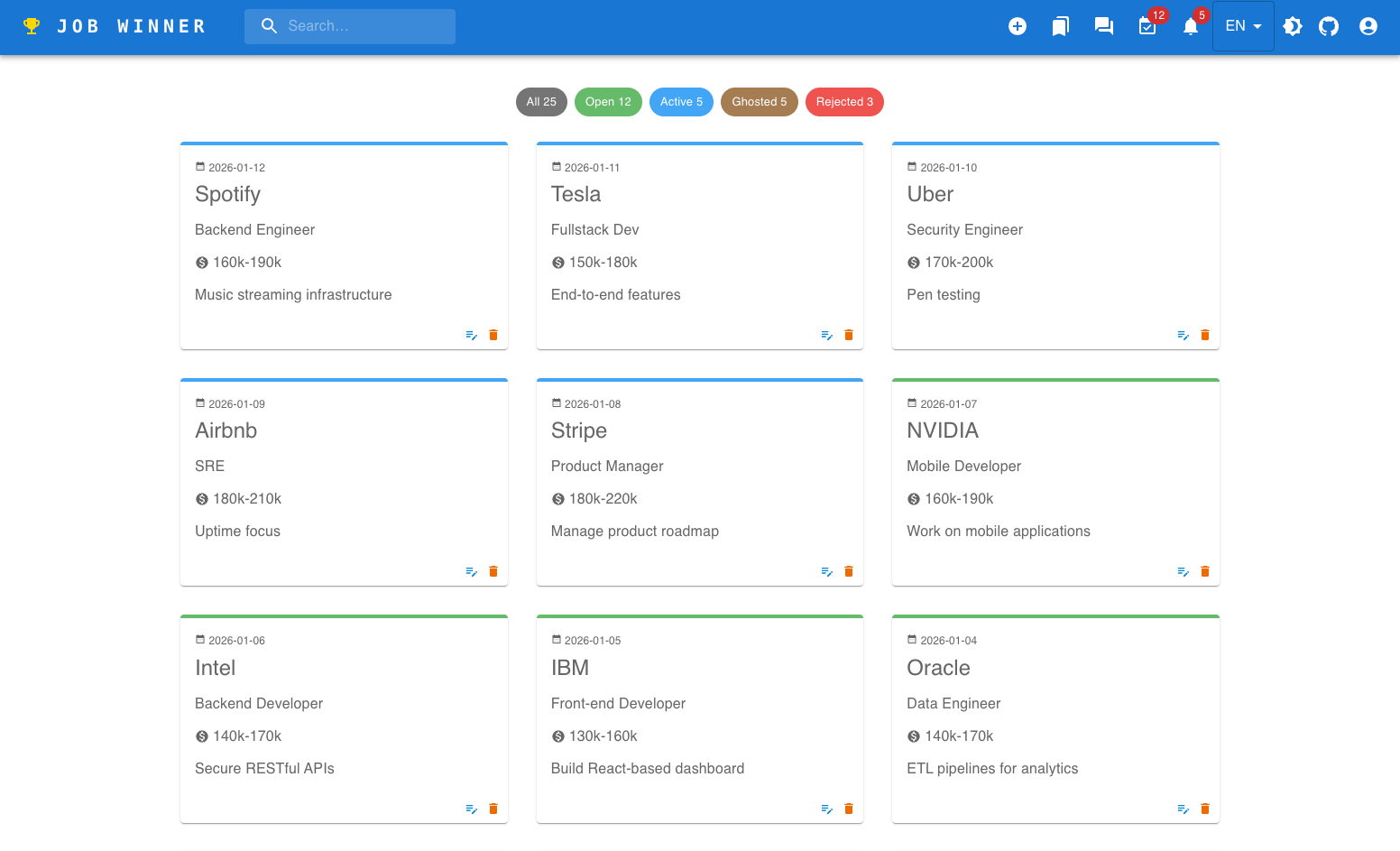
Here is where the board started:
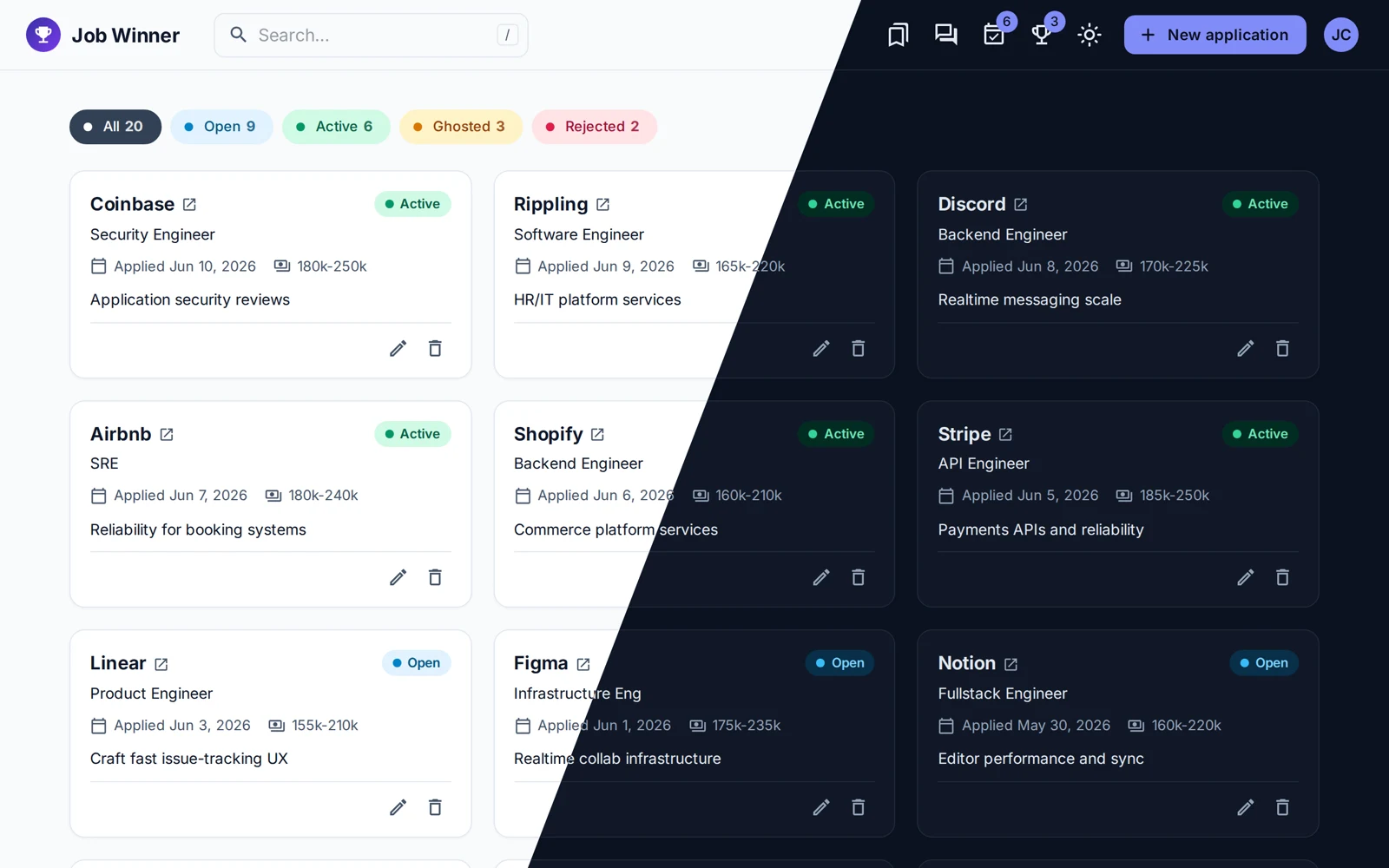
And here is where it landed:
A calmer place for a stressful job search
Looking for a job already comes with enough noise. The app should not add more.
The original board already had the right foundation: application cards, status filters, and search. The update keeps those familiar pieces while making each card easier to scan, improving the spacing, and bringing the most useful details forward. Pressing / now jumps straight to search when I want to find something quickly.
The color system also received a complete refresh. Open, active, ghosted, and rejected applications each have their own personality without turning the board into a rainbow explosion. And yes, every screen now looks at home in dark mode too.
Dialogs that feel like one family
Job Winner has a lot of pop-up screens: applications, interviews, offers, bookmarks, Q&A, profile details, and confirmation messages.
Before the update, some of them felt like distant cousins who only met at weddings. Buttons moved around. Titles behaved differently. Saving did not always give clear feedback.
Now they share the same layout and rhythm. Actions are where I expect them to be, destructive choices ask for confirmation, and success or failure messages arrive at the right time. If a save fails, the form stays open with everything still there. Losing carefully typed notes because of a network hiccup is not anyone’s idea of fun.
Interviews feel especially nice now. Quick changes save immediately, while text waits until I finish editing. It is a small detail, but it makes the app feel much more natural.
Mobile is no longer an afterthought
I often discover a job on my phone, so the mobile experience needed to be more than “the desktop page, but squeezed.”
The refreshed version has a proper mobile menu, full-screen forms, scrollable filters, and a floating button for quickly adding an application. The board, menus, and forms now feel designed for a phone instead of merely surviving on one.
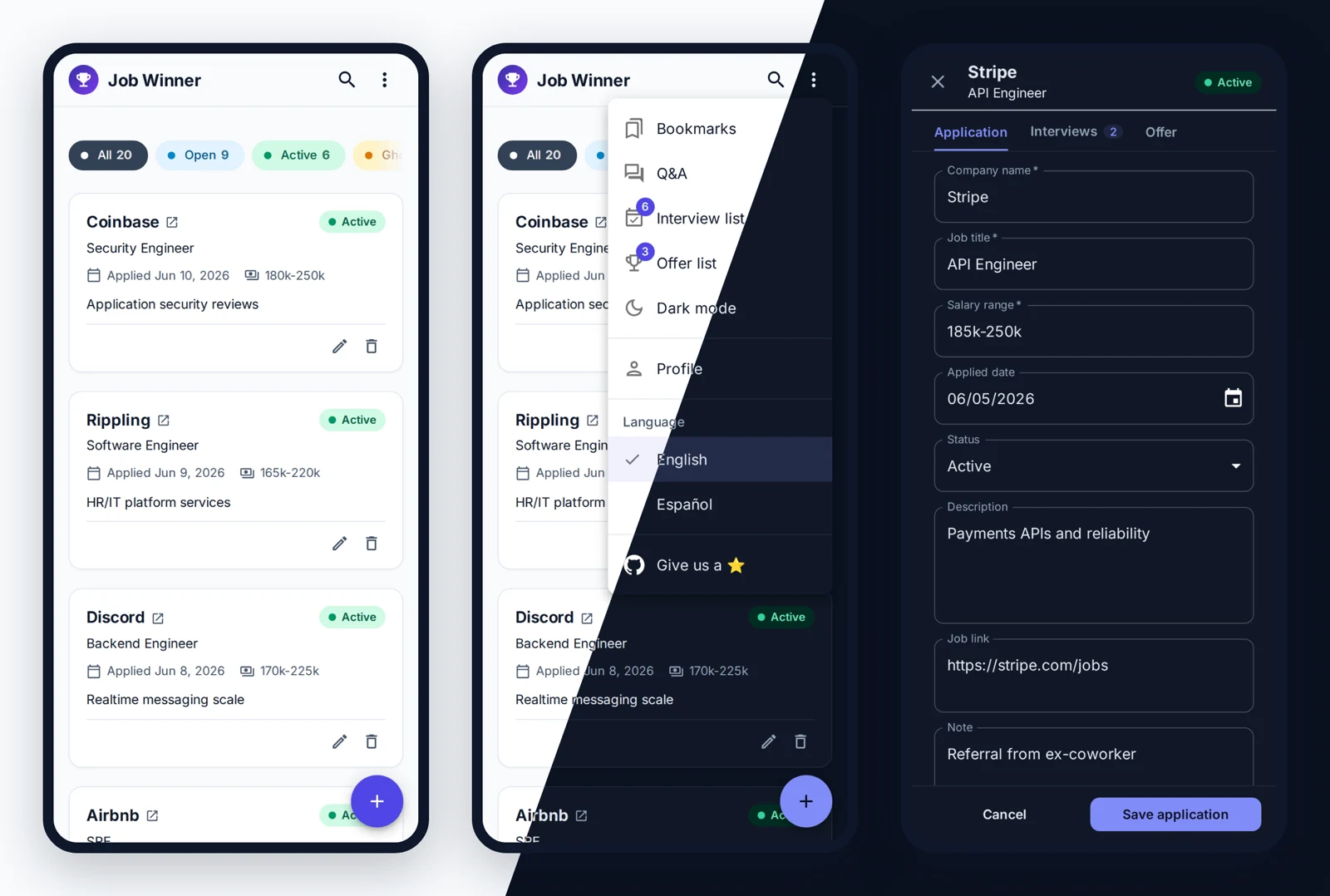
The full app is still available in English and Spanish, and the labels are now more consistent across both languages.
The invisible makeover
The most satisfying work is the part nobody should notice.
Behind the new screens, I removed repeated code and gave common behavior one shared home. Saving, confirmation messages, dialog layouts, empty states, and sortable lists now follow the same rules everywhere.
I also added a built-in demo mode, so the UI can run with realistic sample data without needing the backend. That made it much easier to test every corner of the app: empty lists, slow loading, failed saves, small screens, dark mode, and more.
Then came the safety net:
- browser tests for the main journeys
- accessibility checks
- screenshot comparisons in light and dark mode
- checks for unexpected browser errors
Those tests immediately found real issues: labels that screen readers could not understand, buttons with weak contrast, and a few awkward interactions hiding in plain sight. Fixing them was a good reminder that polish is not only about how an app looks. It is also about how confidently everyone can use it.
Even the screenshots update themselves
The old project screenshots had fallen far behind the actual app. Manually recapturing everything after each visual change was exactly the kind of task I knew I would keep postponing.
Now one command opens the demo, visits each feature, switches between light and dark mode, captures the screenshots, and records the animated tour at the top of the README.
In other words, I automated the part I was most likely to avoid. Future Janus says thank you.
Ready for another round
This update turned Job Winner from an app that had grown feature by feature into one that feels intentional from end to end. It is calmer, clearer, friendlier on mobile, more accessible, and much easier for me to keep improving.
Most importantly, it still does the same job it was built for: helping people spend less energy tracking their job search and more energy winning it.