Building a New Portfolio Page: Migrating from MkDocs to Astro
originally posted at LinkedIn at December 26, 2025
After years of using MkDocs for my personal site, I decided it was time for a fresh start. I wanted to build a new portfolio page that could showcase my work in a way that felt truly mine—with custom layouts, dedicated sections, and the flexibility to present content exactly how I envisioned it. The biggest motivation? Giving my DevOps Odyssey series its own dedicated space with a layout that properly highlights it as a cohesive series.
This post walks through the entire migration journey—from why I chose Astro over MkDocs, to the challenges I faced, and how I finally achieved the content organization I was looking for. Whether you’re considering a similar migration or just curious about the process, I’ll share the insights and lessons learned along the way.
Why Migrate from MkDocs to Astro?
MkDocs served me well for documentation-focused sites, but I wanted more control over how different types of content were organized and displayed. Specifically, I wanted:
- Custom content sections: Ability to create dedicated sections for different content series
- Flexible layouts: Full control over how each section looks and feels
- Better content organization: Structure content in a way that makes sense for my needs
- Modern tooling: Better TypeScript support and component-based architecture
- Content collections: Organize related content together logically
The Old Site: MkDocs
Here’s how the original MkDocs site looked:
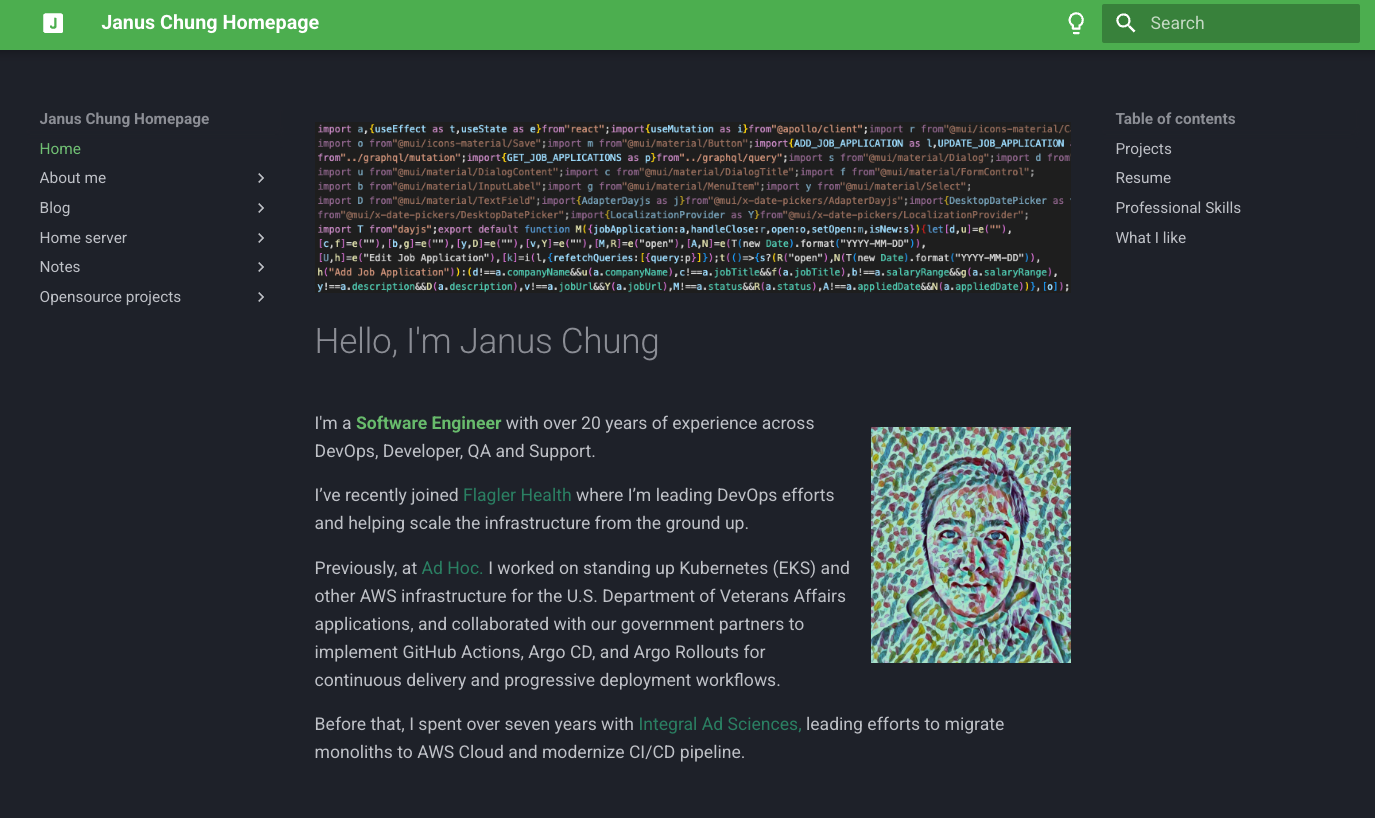
The MkDocs site had:
- Traditional documentation sidebar navigation
- Material theme styling
- Markdown-based content organization
- Limited customization options for different content types
The main limitation was that all content was treated the same way. My DevOps Odyssey series was mixed in with regular blog posts, and I couldn’t give it a distinct presentation or its own dedicated section.
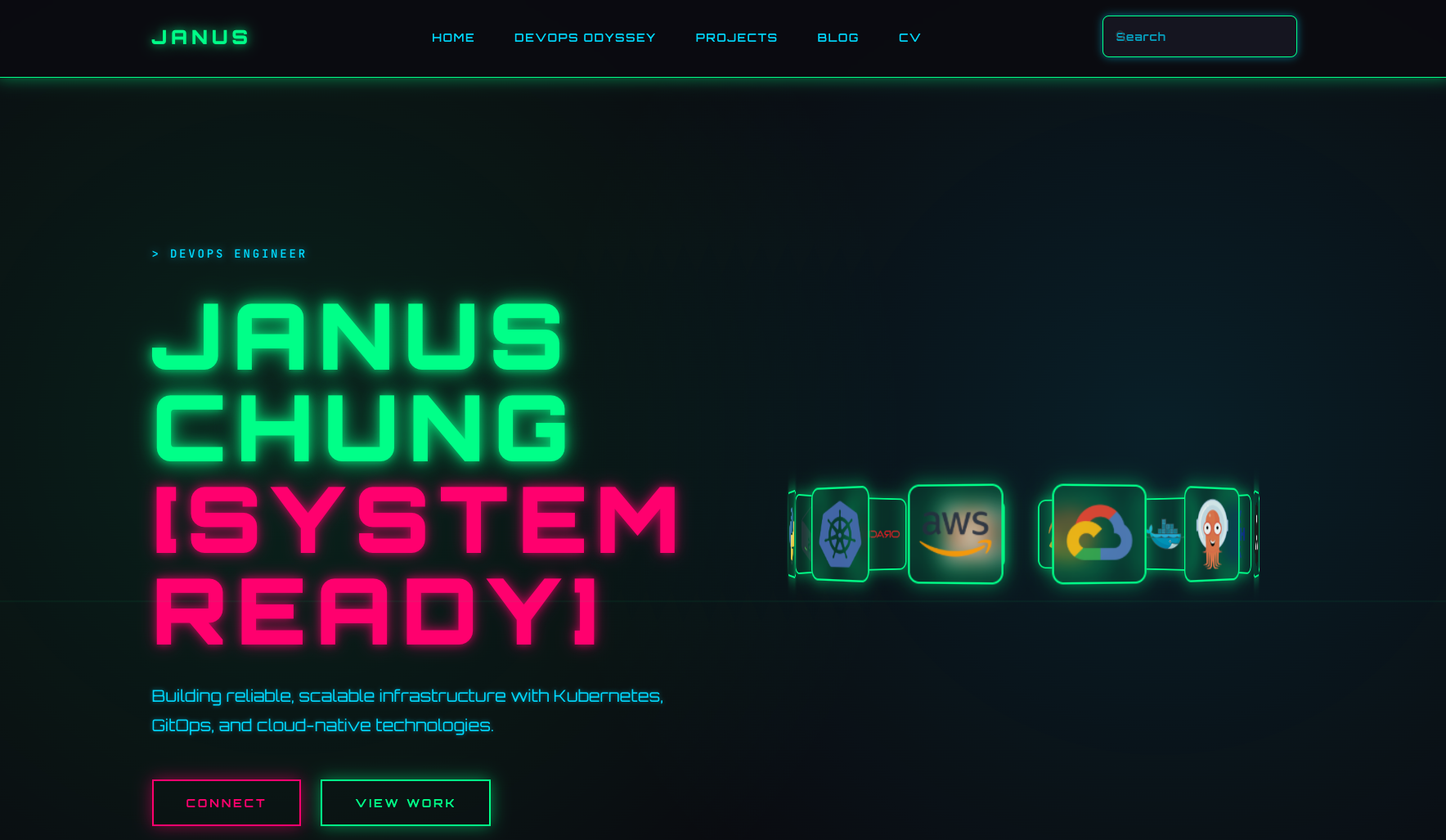
The New Site: Astro
The new Astro site features:
- Custom design with Tailwind CSS
- Improved navigation and layout
- Better content organization with collections
- Dedicated section for DevOps Odyssey with custom layout
- Responsive design optimized for all devices
The Main Goal: DevOps Odyssey Section
The primary reason for migrating was to create a dedicated section for my DevOps Odyssey series. In MkDocs, this series was just another set of markdown files in the same structure as everything else. I wanted it to have:
- Its own navigation section
- A custom layout that highlights the series nature
- Better visual presentation that distinguishes it from regular blog posts
- A structure that makes it easy to navigate between episodes
With Astro’s content collections and flexible routing, I could create a completely custom layout for this section while keeping regular blog posts in their own collection with a different presentation.
Migration Process
1. Content Collections
The first step was organizing content into logical collections. Astro’s content collections allowed me to separate:
- Regular blog posts
- DevOps Odyssey series
- Projects showcase
Each collection could have its own schema, structure, and presentation logic.
2. Custom Layouts
For the DevOps Odyssey section, I created a custom layout that:
- Highlights the series nature of the content
- Provides better navigation between episodes
- Uses a distinct visual style that sets it apart
- Makes it easy to see the progression through the series
This level of customization wasn’t possible with MkDocs’ more rigid structure.
3. Design System
Created a custom design system using Tailwind CSS:
- Custom color palette
- Consistent typography and spacing
- Reusable component library
- Dark theme optimized for readability
4. Navigation Structure
Rebuilt the navigation to work with Astro’s routing system, allowing for:
- Dedicated sections in the menu
- Custom landing pages for each collection
- Better organization of related content
Key Improvements
Content Organization
- Dedicated sections: Each content type has its own space with appropriate presentation
- Custom layouts: DevOps Odyssey has a layout tailored to its needs
- Better structure: Content is organized logically and intuitively
Developer Experience
- Type safety: Full TypeScript support for content
- Hot reload: Instant feedback during development
- Component architecture: Reusable components for consistency
- Better tooling: Modern build system with pnpm package management
Design & UX
- Custom design: Full control over styling and layout for each section
- Better navigation: Improved menu structure that reflects content organization
- Responsive design: Optimized for mobile and desktop
- Accessibility: Better semantic HTML and ARIA labels
Challenges Faced
1. Content Structure
MkDocs uses a flat file structure, while Astro benefits from collections. I had to rethink how content was organized and group related pieces together. This was especially important for the DevOps Odyssey series, which needed to be clearly separated from regular blog posts.
2. Layout Design
Creating custom layouts for different sections required planning how each section should look and feel. The DevOps Odyssey section needed to feel cohesive as a series while still being visually distinct.
3. Navigation
Had to rebuild the navigation system to work with Astro’s routing instead of MkDocs’ automatic sidebar generation. This gave me more control but required more upfront work to structure it properly.
4. Search Functionality
Replaced MkDocs’ built-in search with Astro Pagefind for better customization and to ensure it worked well across all content collections.
Lessons Learned
- Plan the content structure first: Understanding how content will be organized saves time later, especially when creating custom sections
- Incremental migration: Migrate content in batches rather than all at once, starting with the most important sections
- Test thoroughly: Verify all links, images, and functionality after migration, especially in custom layouts
Conclusion
The migration from MkDocs to Astro was worth the effort. The new site offers the flexibility I needed to organize content the way I wanted, with dedicated sections and custom layouts. The DevOps Odyssey series now has its own space with a layout that properly showcases it as a cohesive series.
While the migration required significant upfront work, the ability to structure and present content exactly how I envisioned makes it a solid investment. The site is now live at januschung.github.io with improved organization and custom sections.