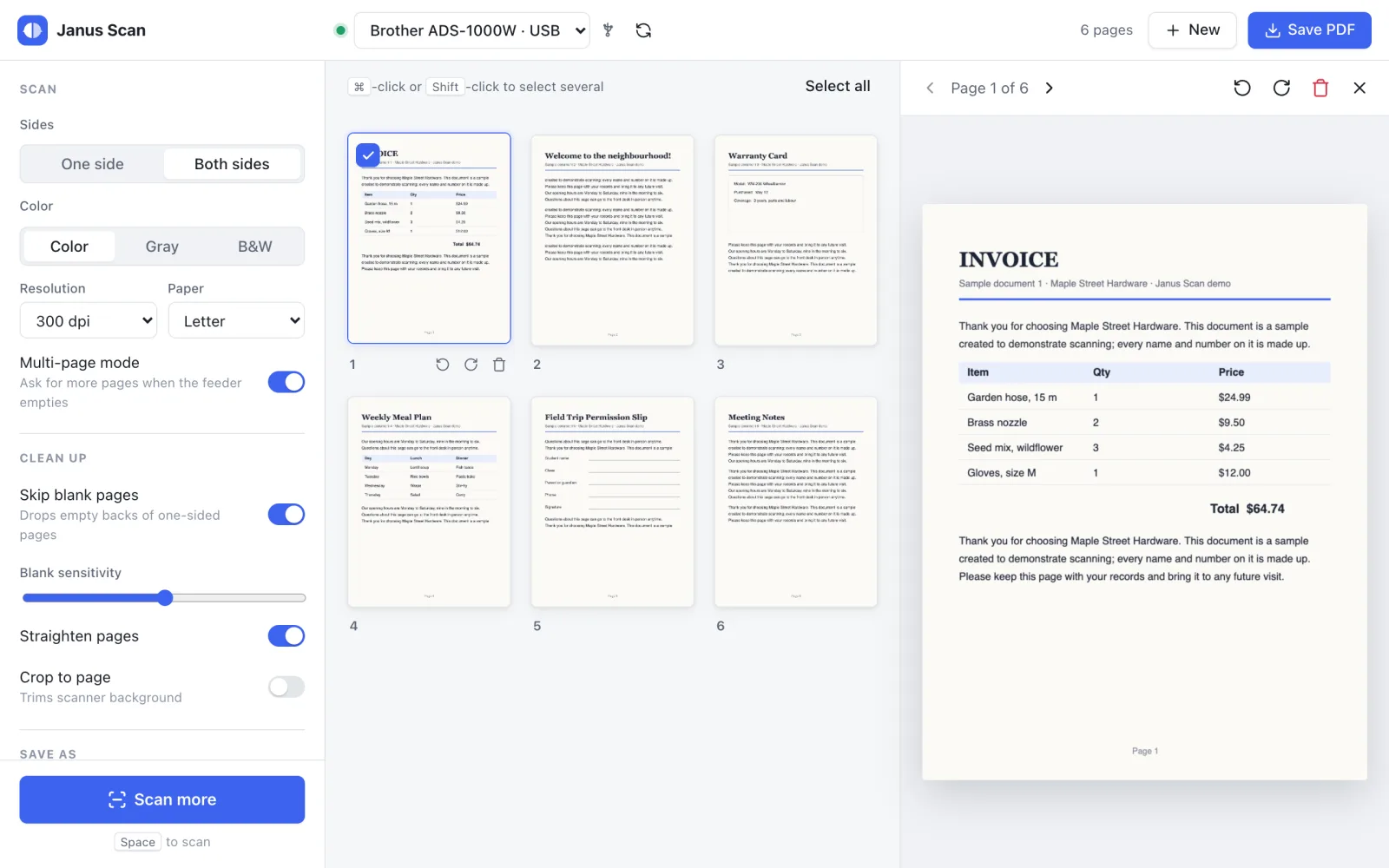
A simple, private scanning app for the Brother ADS-1000W, on macOS, Linux and any phone.
One or both sides · multi-page batches · PDF, JPEG, PNG or TIFF · USB and Wi-Fi · scan from your phone
The story behind it is in the blog post Janus Scan: Freeing My Ten-Year-Old Scanner from Windows.
Built and tested on one scanner: the Brother ADS-1000W. Nothing in the code is tied to it, so other scanners with a Linux SANE driver or a macOS ICA driver may well work. Pull requests that add or fix support for other models are welcome, tested on the real scanner.
Why
The ADS-1000W is a great little sheet-fed scanner, but its software is Windows-first. On a Mac or Linux PC you’re left with generic tools that make simple things hard: choosing PDF or JPEG, choosing one side or both, or carrying on when the feeder runs out of paper. Janus Scan puts all of that on one screen, and with Janus Scan Server, on every phone in the house.
It’s named after its author, and the Roman god Janus, with his two faces looking both ways, made it an easy choice for a scanner that reads both sides of every sheet. His two faces are the logo.
See it in action
On a computer
On a phone
What you get
| A real app on Linux | Brother’s Linux downloads for the ADS-1000W are a scanner driver only, with no app. Janus Scan is a full app on Ubuntu, Linux Mint, Linux Lite and CachyOS, as well as macOS. |
| Scan from any phone | Janus Scan Server runs next to the scanner; phones, tablets and other computers scan by opening a web page, with no app store and no driver. Over HTTPS it installs to the home screen and opens like an app. |
| One document, every device | Start on the phone, finish on the laptop: every open browser sees the same pages, live. |
| Fix pages before saving | Reorder by dragging (long-press on a phone), rotate any single page, remove pages, and keep adding batches when the feeder runs out. |
| Less clean-up | Switches to skip the blank backs of one-sided pages, straighten crooked pages and crop away the scanner background. |
| Save where the files belong | A NAS folder (NFS or SMB) with its own file name preset, like Receipts {date} {n}, or a download to the device. |
| Faster over Wi-Fi | 2.2 s per page side through Janus Scan Server, against 10.1 s with Brother’s macOS driver (color, 300 dpi, both sides). |
| Small | The macOS app is a 2.8 MB disk image and the Linux app a 2.8 MB .deb. The server is a 31 MB container image. The apps are native code (Rust) using the system’s web view, not a bundled browser. |
| Runs where you do | Desktop app on macOS and Linux; the server under Docker Compose, Kubernetes (Helm chart) or LXC (Proxmox). |
| Private | No account, no telemetry, no cloud. Pages in progress live in a private temporary folder and are deleted afterwards. |
Features
Everything on one screen. Sides, color, resolution, paper size, clean-up and file type, all in the sidebar. Press Space to scan.
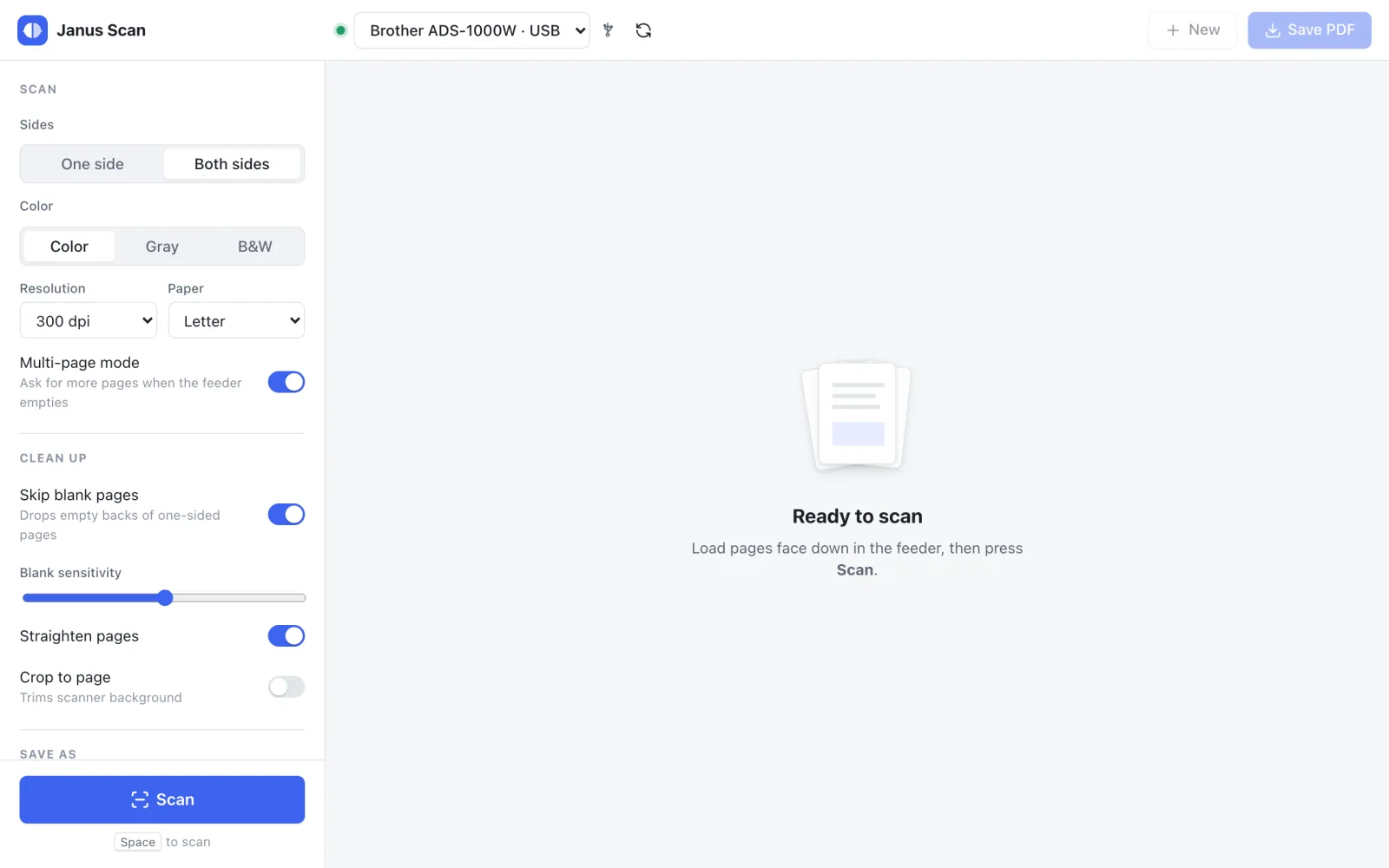
Multi-page batches. When the feeder runs empty, Janus Scan asks whether you have more pages and adds them to the same document.
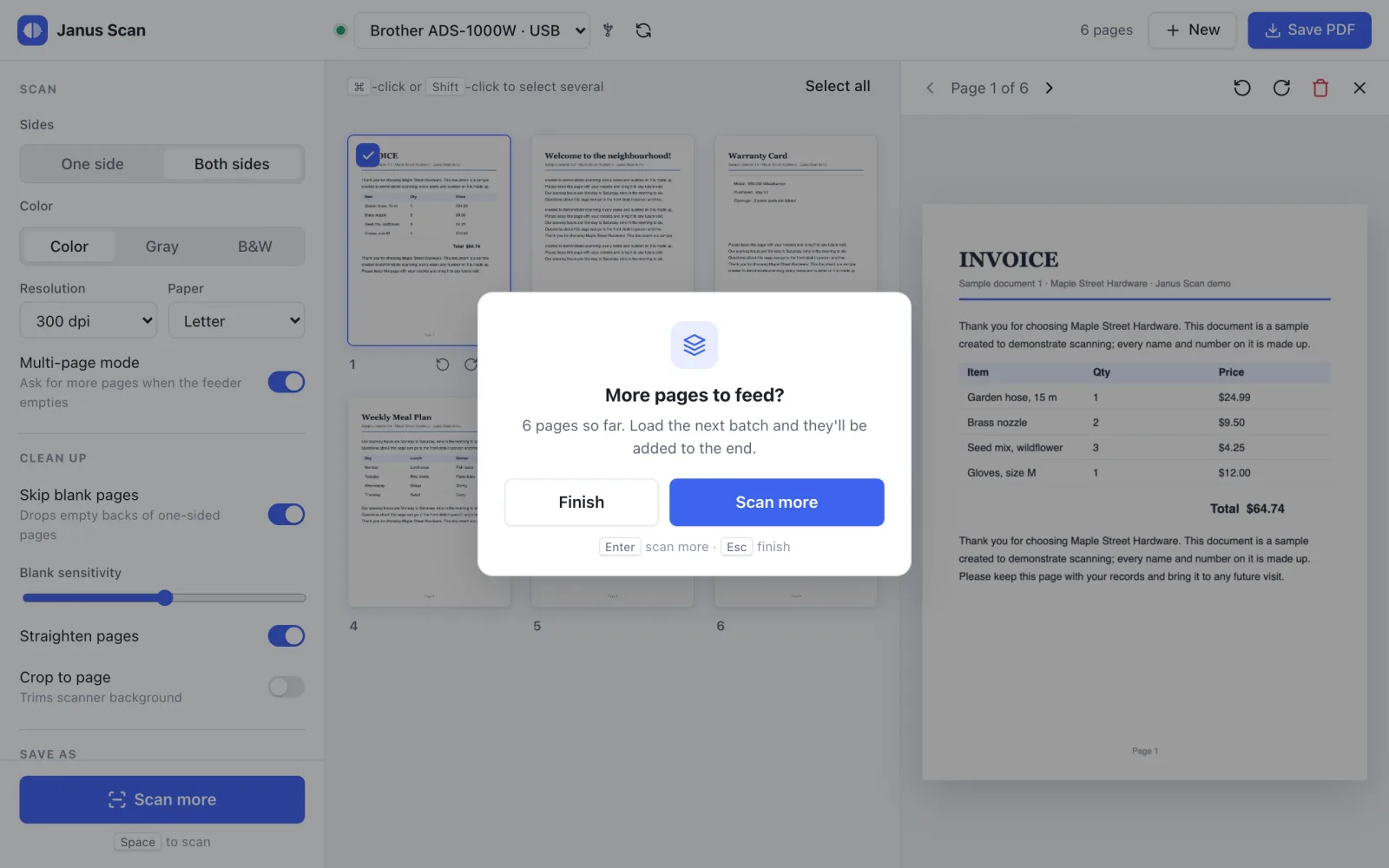
| Scanning | One or both sides in a single pass · color, gray or black & white · 100–600 dpi · Letter, Legal, A4, A5, business card, receipt |
| Pages | Live thumbnails and a large preview · drag to reorder · rotate · select several or all, then remove |
| Clean-up | Skip blank pages · straighten crooked pages · crop to the page |
| Saving | Multi-page PDF, JPEG, PNG or TIFF · never overwrites an existing file |
| File name preset | Any text plus {date}, {time} and {n}: Receipts {date} {n} gives Receipts 2026-10-17 001.pdf |
| Connections | USB and Wi-Fi, found automatically |
| Comfort | Light and dark mode · keyboard shortcuts · remembers your settings |
Status
| Platform | USB | Wi-Fi |
|---|---|---|
| macOS | ✅ Working | ✅ Working |
| Linux (Ubuntu, Linux Mint, Linux Lite, CachyOS) | ✅ Working | ✅ Working |
| Janus Scan Server (Docker, Kubernetes, LXC) | Not used: Wi-Fi only | ✅ Working |
On a Mac, use USB for long documents: Brother’s macOS driver makes Wi-Fi slow (10.1 s per page side against 2.0 s over USB).
Getting it
- Install Brother’s scanner driver: the ADS-1000W ICA driver on macOS, or
brscan4on Linux, from support.brother.com. - Install Janus Scan from a release package (
.dmg,.debor the CachyOS package), or build it yourself withsh scripts/install.sh, which needs Rust 1.85+ and Node.js 20.19+. - For phones, run Janus Scan Server next to the scanner with Docker Compose:
SCANNER_IP=192.168.1.50 docker compose up -d --buildThe README on GitHub has the full steps, including the Helm chart for Kubernetes, LXC on Proxmox, the command-line tool and troubleshooting.
Tech stack
- Rust workspace: scanning through Apple’s ImageCaptureCore on macOS and SANE on Linux, image clean-up, and PDF, JPEG, PNG and TIFF export
- Tauri 2 + Svelte for the desktop app; the same UI is built for the server’s web front end
- Docker, Helm and LXC packaging for Janus Scan Server
License
MIT. Brother’s scanner driver isn’t part of Janus Scan: it’s Brother’s software under Brother’s own license, downloaded separately. Janus Scan is an independent project, not affiliated with Brother Industries, Ltd.