A Small Kargo Warehouse POC with GHCR
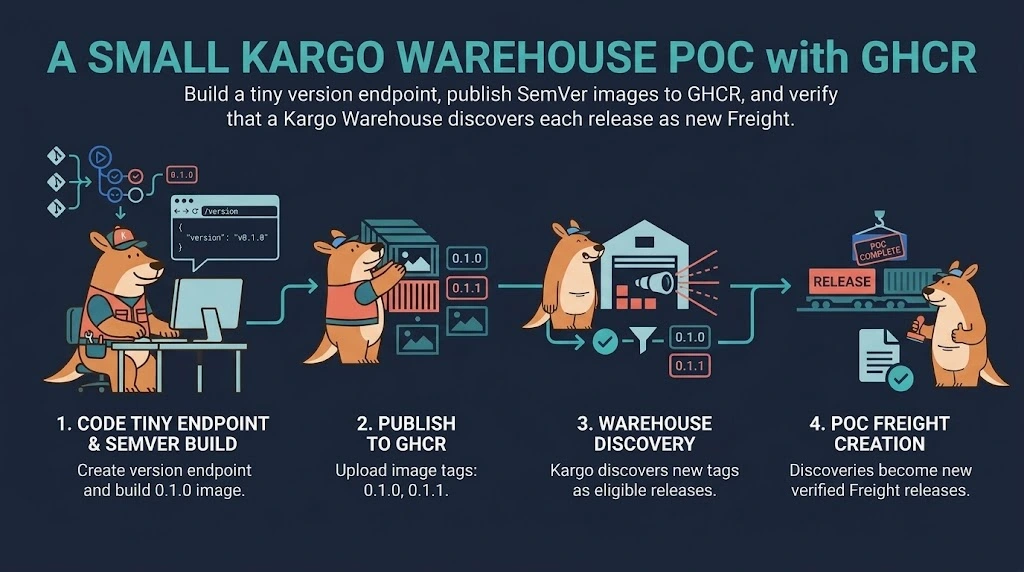
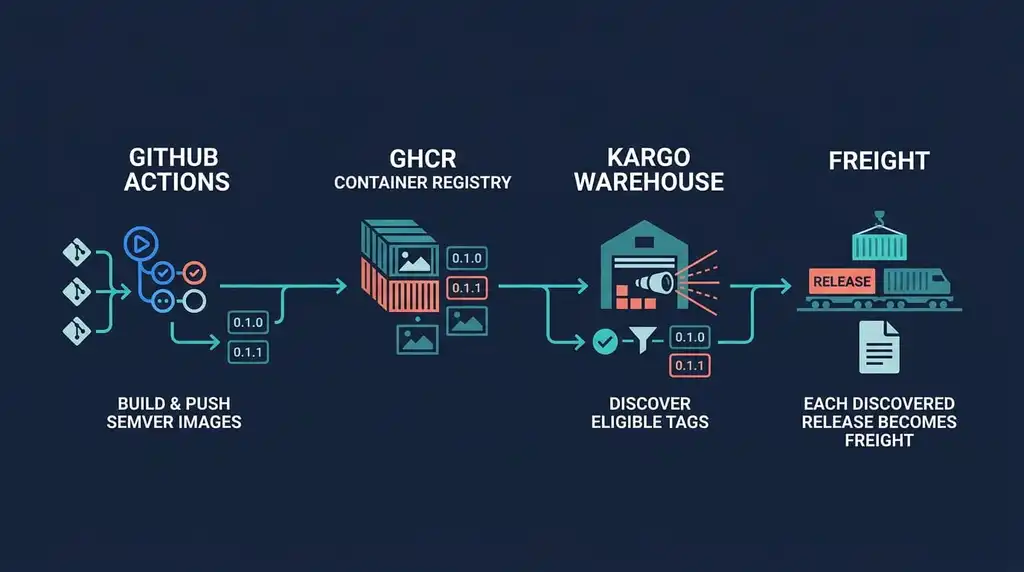
When I first configured a Kargo Warehouse, I wanted a small test that answered one question: when a new container image reaches a registry, does Kargo discover it?
Using an existing public image proves that Kargo can read a registry, but it does not provide much control over when a new version appears. A better test is to publish a tiny image under my own account, give each release a semantic version, and watch Kargo turn those releases into Freight.
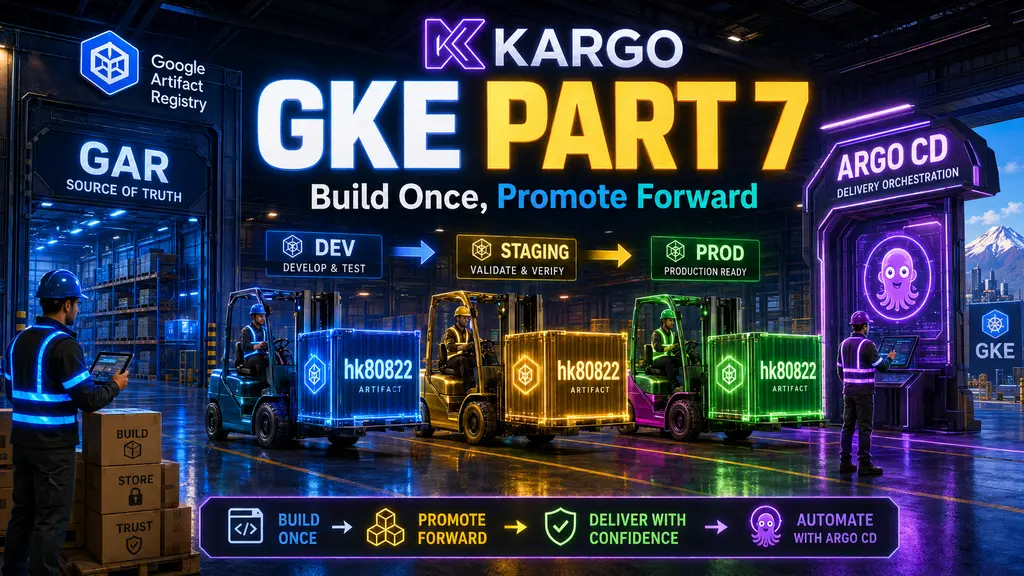
This POC uses GitHub Actions, GitHub Container Registry (GHCR), and a minimal HTTP server. For the wider delivery architecture and how Warehouse, Freight, Stage, and Promotion fit together, see Build Once, Promote Forward with Kargo.
What This POC Proves
The test has two successful outcomes:
- Publishing
0.1.0creates Freight containing that image. - Publishing
0.1.1creates another Freight after the Warehouse discovers it.
The image also exposes its embedded version at /version. That endpoint proves that the image contains the version passed by the build, but it does not prove that the Warehouse discovered it. The Freight shown by Kargo is the evidence for discovery.
Deployment and promotion are deliberately outside this POC. A Warehouse discovers artifacts; it does not deploy the image by itself.
Prerequisites
- A Kubernetes cluster with Kargo installed
kubectlaccess with permission to create a Kargo Project- A GitHub repository with GitHub Actions enabled
- Docker for the optional local image check
The GHCR package will be public for this test. This keeps registry authentication out of the Warehouse configuration and makes the discovery path easier to troubleshoot.
Repository Layout
The POC needs only four files:
.
├── .github/
│   └── workflows/
│       └── publish-image.yaml
├── app/
│   └── Dockerfile
└── kargo/
    ├── project.yaml
    └── warehouse.yaml
The application and build workflow produce the image. The two Kargo manifests define where image discovery happens.
A Tiny Version Endpoint
Nginx or Caddy would both work, but this test only needs to serve two static files. BusyBox provides a small HTTP server without adding configuration that is unrelated to the Warehouse test.
Create app/Dockerfile:
FROM busybox:1.37.0-musl

ARG VERSION

RUN test -n "${VERSION}" \
    && mkdir -p /www \
    && printf '{"version":"%s"}\n' "${VERSION}" > /www/version \
    && printf '<!doctype html><title>Kargo POC</title><h1>Version %s</h1>\n' \
      "${VERSION}" > /www/index.html

USER 65532:65532

EXPOSE 8080

CMD ["/bin/httpd", "-f", "-p", "8080", "-h", "/www"]
The version is written into the image at build time. Both the browser page and the API response therefore describe the image that is actually running rather than reading a mutable environment variable.
You can verify the image locally before involving a registry:
docker build \
  --build-arg VERSION=0.1.0 \
  --tag kargo-warehouse-poc:0.1.0 \
  app

docker run --rm --publish 8080:8080 kargo-warehouse-poc:0.1.0
In another terminal:
curl http://localhost:8080/versionThe response should be:
{"version":"0.1.0"}Opening http://localhost:8080 in a browser shows the same version.
Publish a SemVer Image to GHCR
The workflow accepts a version through workflow_dispatch. Restricting the input to the 0.1.x line keeps the demo aligned with the Warehouse constraint and prevents an accidental non-SemVer tag from making the test confusing.
Create .github/workflows/publish-image.yaml:
name: Publish Kargo POC image

on:
  workflow_dispatch:
    inputs:
      version:
        description: "Image version, for example 0.1.0"
        required: true
        type: string

permissions:
  contents: read
  packages: write

jobs:
  publish:
    runs-on: ubuntu-latest

    steps:
      - name: Check out repository
        uses: actions/checkout@v6

      - name: Validate version and image name
        id: image
        env:
          VERSION: ${{ inputs.version }}
        run: |
          set -euo pipefail

          if [[ ! "$VERSION" =~ ^0\.1\.[0-9]+$ ]]; then
            echo "Version must match 0.1.x, for example 0.1.0" >&2
            exit 1
          fi

          owner="${GITHUB_REPOSITORY_OWNER,,}"
          echo "name=ghcr.io/${owner}/kargo-warehouse-poc" >> "$GITHUB_OUTPUT"

      - name: Log in to GHCR
        uses: docker/login-action@v3
        with:
          registry: ghcr.io
          username: ${{ github.actor }}
          password: ${{ secrets.GITHUB_TOKEN }}

      - name: Set up Docker Buildx
        uses: docker/setup-buildx-action@v3

      - name: Build and push
        uses: docker/build-push-action@v6
        with:
          context: ./app
          push: true
          build-args: |
            VERSION=${{ inputs.version }}
          tags: ${{ steps.image.outputs.name }}:${{ inputs.version }}
          labels: |
            org.opencontainers.image.source=${{ github.server_url }}/${{ github.repository }}
            org.opencontainers.image.version=${{ inputs.version }}
Commit and push these files, then open the repository’s Actions tab. Select Publish Kargo POC image, choose Run workflow, and enter 0.1.0.
After the first run completes, open the package settings on GitHub and change the package visibility to Public. Container packages are private by default. The workflow can push with GITHUB_TOKEN, but an unauthenticated Warehouse cannot read a private package.
Your image repository will have this form:
ghcr.io/januschung/kargo-warehouse-pocReplace januschung with your own lowercase GitHub account or organization name when following along. Do not append :0.1.0; the Warehouse subscribes to the repository, not one image tag.
Create the Kargo Project
A Kargo Project is cluster-scoped. Its controller creates a namespace with the same name for the Warehouse and Freight resources.
Create kargo/project.yaml:
apiVersion: kargo.akuity.io/v1alpha1
kind: Project
metadata:
  name: kargo-warehouse-poc
Apply it and wait for its namespace:
kubectl apply -f kargo/project.yaml
kubectl get namespace kargo-warehouse-poc
Subscribe the Warehouse to GHCR
Create kargo/warehouse.yaml. This example points to my public package; replace januschung with your own lowercase GitHub account or organization name:
apiVersion: kargo.akuity.io/v1alpha1
kind: Warehouse
metadata:
  name: kargo-warehouse-poc
  namespace: kargo-warehouse-poc
spec:
  interval: 30s
  freightCreationPolicy: Automatic
  subscriptions:
    - image:
        repoURL: ghcr.io/januschung/kargo-warehouse-poc
        imageSelectionStrategy: SemVer
        constraint: ^0.1.0
The short interval is useful for a temporary POC. It makes registry polling unnecessarily frequent for normal use, where the default interval or a registry webhook is a better fit.
Apply the Warehouse:
kubectl apply -f kargo/warehouse.yaml
kubectl get warehouse --namespace kargo-warehouse-poc
Kargo should discover 0.1.0 and create the first Freight:
kubectl get freight \
  --namespace kargo-warehouse-poc \
  --sort-by=.metadata.creationTimestamp
Freight names are generated, so inspect the newest object to confirm its image:
kubectl get freight \
  --namespace kargo-warehouse-poc \
  --sort-by=.metadata.creationTimestamp \
  --output yaml
Look for the GHCR repository and the 0.1.0 tag in the Freight origin and image data.
Simulate a New Image Arrival
Run the GitHub Actions workflow again, this time with:
0.1.1Within roughly one polling interval, a second Freight should appear:
kubectl get freight \
  --namespace kargo-warehouse-poc \
  --sort-by=.metadata.creationTimestamp \
  --watch
If you do not want to wait for polling, change the Warehouse refresh annotation:
kubectl annotate warehouse kargo-warehouse-poc \
  --namespace kargo-warehouse-poc \
  kargo.akuity.io/refresh="$(date +%s)" \
  --overwrite
This enqueues the Warehouse for reconciliation. It does not insert Freight manually; Kargo still queries GHCR and decides whether it found a new eligible image.
At this point the POC is complete: two independently published SemVer images have become two discoverable Freight records.
Common Problems
The Warehouse finds no image
Check the GHCR package visibility first. A public repository does not automatically make its container package public.
Also confirm that repoURL contains only the repository:
ghcr.io/januschung/kargo-warehouse-pocIt must not include https:// or an image tag.
The tag is ignored
The Warehouse selects semantic versions matching ^0.1.0. Tags such as latest, run-12, or 0.2.0 are not eligible for this subscription.
Use complete versions such as 0.1.0 and 0.1.1. Kargo’s strict SemVer behavior avoids accidentally interpreting unrelated numeric tags as releases.
GHCR returns an authorization error
Confirm that the package—not only the source repository—is public. If the image must remain private, add GHCR repository credentials to the Kargo Project instead of making the package public.
/version works, but no Freight appears
These checks exercise different paths. /version proves that the container was built correctly. Warehouse status, controller errors, and Freight resources show whether Kargo can list and select tags from GHCR.
Inspect the Warehouse for its latest discovery result:
kubectl describe warehouse kargo-warehouse-poc \
  --namespace kargo-warehouse-poc
What This POC Leaves Out
This POC isolates Warehouse image discovery from the rest of Kargo. It confirms that a new SemVer image published to GHCR becomes Freight, without introducing Stages, Promotions, Git updates, or Argo CD reconciliation.
My complete implementation builds on this foundation by promoting the same Freight through GitOps environments. That wider architecture is covered in Build Once, Promote Forward with Kargo.