Automate the Tedious: Supercharging Everyday Routines With AI
Every few weeks I end up with twenty old local branches, and cleaning them up is the same routine: list them by date, check which are merged, find the ones whose remote is gone after a squash merge, then delete them one by one. None of it is hard. It’s just tedious, and tedious is exactly what a tool is for.
Remembering every command and flag for a chore like this buys you nothing, except maybe in an interview.
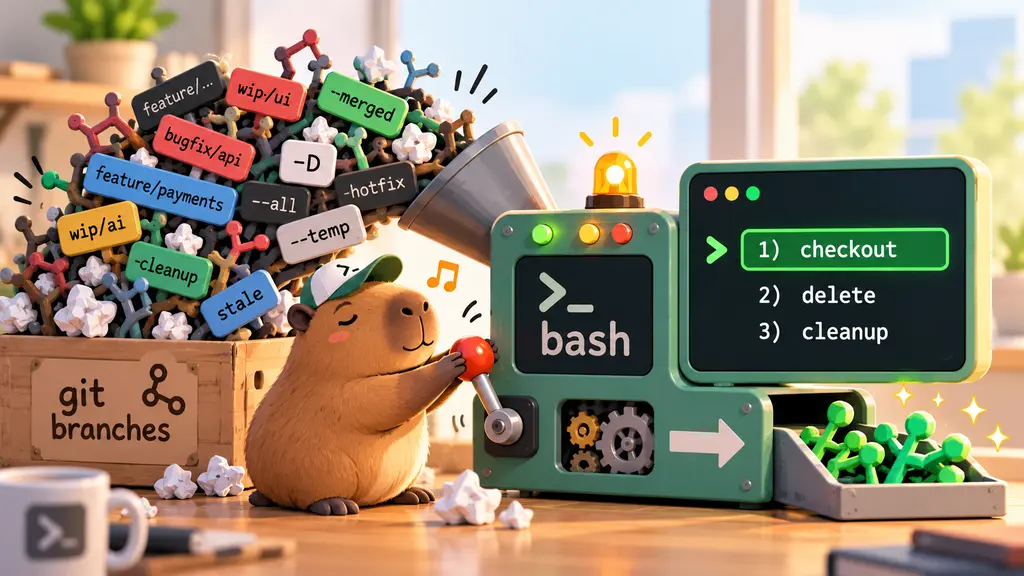
So I asked an AI to help me turn that routine into a tool. The result is jgit, a single bash script that gives me a menu for my local branches: check one out, delete a few, or clean up everything except main. This post is about how it came together, because the process turned out to be more interesting than the script.
Design first, code later
My first prompt ended with “Do not implement yet.” That one line changed how the whole thing went.
I asked for a design: a helper to pick local branches from a menu, then check out or delete them, plus an option to clean up everything except main/master. I also asked what else would be worth adding.
What came back was a plan, not code. It covered the commands, how branches would be listed, the safety rules, and a ranked list of extras. A few of those extras I wouldn’t have thought of:
- Clean up branches whose upstream is gone. After a squash merge, git doesn’t consider the branch merged, but the remote branch has been deleted. That’s the most reliable “I’m done with this” signal.
- An undo log. Record each deleted branch’s name and commit so it can be restored later.
- Worktree awareness. Git refuses to delete a branch that’s checked out in another worktree, so the tool should hide those instead of failing.
- Bash 3.2 compatibility. macOS still ships bash 3.2, so no
mapfile, no associative arrays, no${var,,}.
Reading a plan takes a couple of minutes. Reading several hundred lines of code I didn’t ask for yet would have taken much longer, and I’d have been reviewing decisions I never got to make.
Shaping the menu
The first design used fzf for fuzzy search. I said no: I wanted plain bash select, so the script runs on any machine without installing anything. I also said I only care about generic git, not any one hosting service, and asked to see the menu structure before anything else.
It came back as text mockups of every screen:
jgit  repo: my-app   on: feature/auth-fix   default: main

1) Checkout a branch
2) Delete branches
3) Clean up branches
4) Checkout a remote branch
5) Undo last delete
6) Settings / info
[Q]uit  >
Then I asked for letter keys: C for cancel, B for back, N for next page. This is where I learned something about select. It saves whatever you type in $REPLY, even if it isn’t a number, so the script can check for letters first and only then treat the input as a menu choice.
Two details from that round made the tool feel right:
- Back and Cancel mean different things. Back goes up one level and keeps what you selected. Cancel throws the selection away and returns to the main menu.
- Numbers stay the same across pages. Branch 17 is branch 17 whether you’re on page 1 or page 2, and picks from earlier pages are kept.
The second one has a catch: select can’t page. So fixed menus use select, and branch lists use a small look-alike that prints one page at a time and reads input the same way.
A tour of the menus
Here’s what it looks like to use. Every screen follows the same pattern: numbers to pick, letters to move around.
Picking a branch to check out. Newest first, with how each one stands against its remote:
Checkout a branch (newest first)

  1) main                1 hour ago     [in sync] (protected)
  2) feature/auth-fix    2 days ago     [ahead 2] (current)
  3) fix/login-redirect  1 week ago     [behind 4]
  4) chore/deps          3 weeks ago    [gone]
[B]ack  [C]ancel  [Q]uit   or a number
>
Picking several branches to delete. Numbers toggle, ranges work, and the list pages when it gets long:
Delete branches - page 1/2 (20)

  1) [x] chore/deps          3 weeks ago    [gone]
  2) [ ] fix/login-redirect  1 week ago     [behind 4]
  3) [x] spike/cache         2 months ago   [no upstream]
  ...
 15) [ ] test/old-flow       4 months ago   [no upstream]

Selected (2): 1 3
[N]ext  [A]ll  [D]one  [B]ack  [C]ancel  [Q]uit
numbers toggle (e.g. 3 5-7), Enter = done
>
Confirming. B goes back to the list with your picks still ticked; C drops everything:
About to delete:
  chore/deps
  spike/cache

Delete how?
1) Safe delete (-d, merged only)
2) Force delete (-D)
[B]ack  [C]ancel  [Q]uit  >
Cleaning up in bulk. One menu instead of four different commands I’d otherwise chain together:
Clean up branches - protected: main, master (+ current branch)
1) Merged into main
2) Upstream gone (remote branch deleted, e.g. after a squash merge)
3) Stale: no commits in N days
4) Everything except protected
[B]ack  [Q]uit  >
And undo, for when I delete one too many:
Undo - deleted branches are logged in .git/jgit-deleted.log
1) Restore last run (2: chore/deps spike/cache)
2) Pick branches to restore
[B]ack  [Q]uit  >
What I took away
The AI saved me typing, not thinking. You still need to be able to read what a script is going to run, especially when it deletes things.
I knew what I wanted the routine to look like. The AI knew the corners of bash select I’d never bother to look up, like reading letters out of $REPLY. Together that turned a chore into a menu.
A few habits made the difference:
- Ask for a design and say “don’t implement yet.” Decisions are cheap in a plan and expensive in code.
- Look at mockups before logic. Seeing every menu as text caught things I’d never have spotted in code.
- Change one thing per round. select instead of fzf, then the letter keys, then paging. Each round was small and easy to check.
What I’ll build next
Next I’ll build three more tools the same way, with the same menu style:
- A reusable menu library. Pulling
select, letter keys and paging out of jgit into a file other scripts can share. - A kubectl triage menu. Pod and node health, current and crashed-container logs, and events filtered by time window, with a report I can paste into an incident channel.
- A kubeseal helper. I work across several clusters, and sealing a secret means remembering which cluster’s certificate, controller and namespace go with it. A menu to pick the cluster and the secret, then seal it, would save me that every time.